

Download Sound Search – music search, Android app, Google Play, music discovery, sound recognition, Shazam alternative
Overview
Sound Search is a desktop application designed for Android users seeking a convenient way to identify music playing in their environment. The software functions as a sound recognition tool, listening to audio in real time and attempting to match it with a known track in its database. This functionality makes it particularly useful for users who encounter unfamiliar songs in public spaces, at events, or while browsing social media. The app is especially suited for casual listeners and music enthusiasts looking to discover new tracks without manual searching.
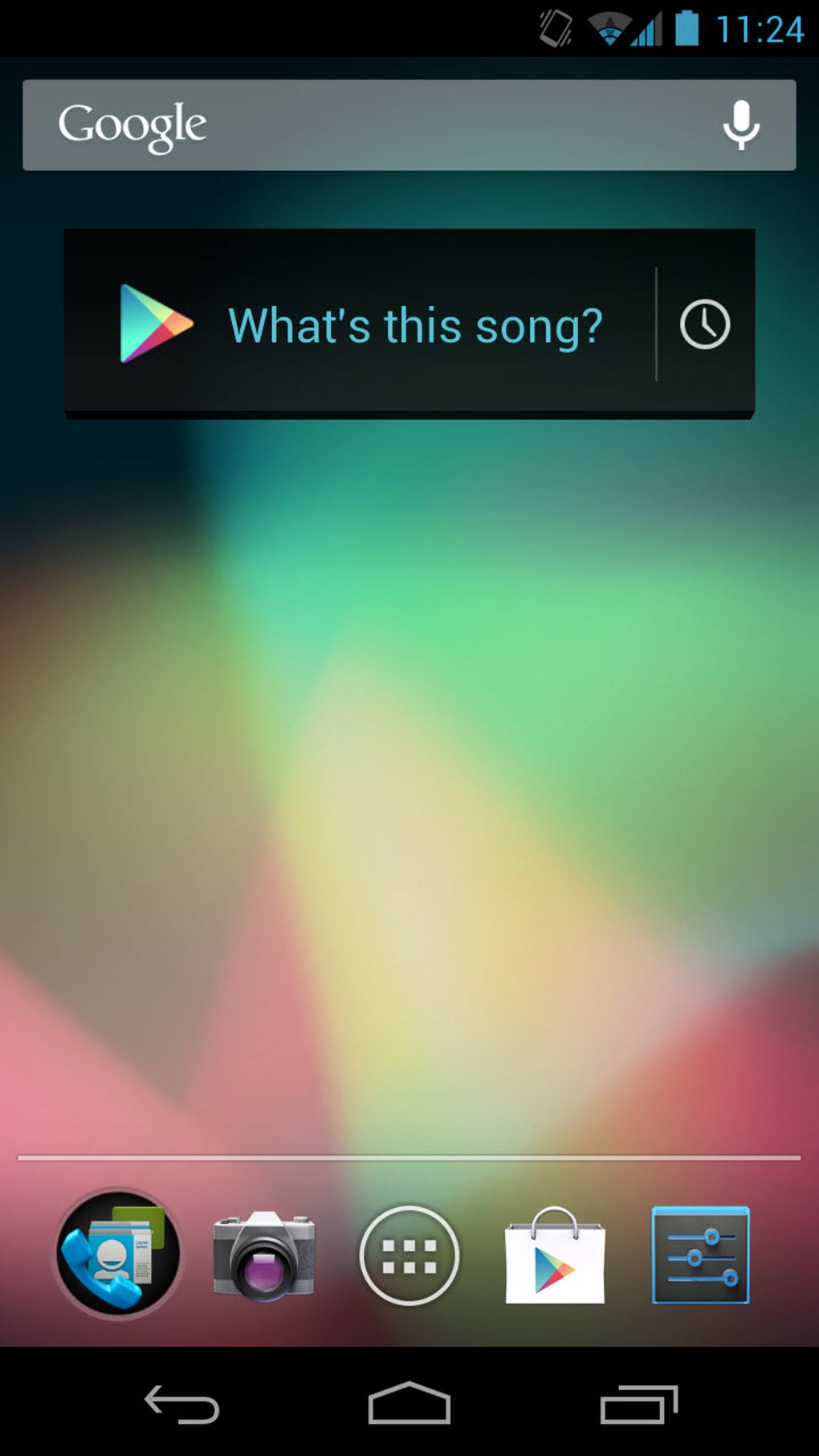
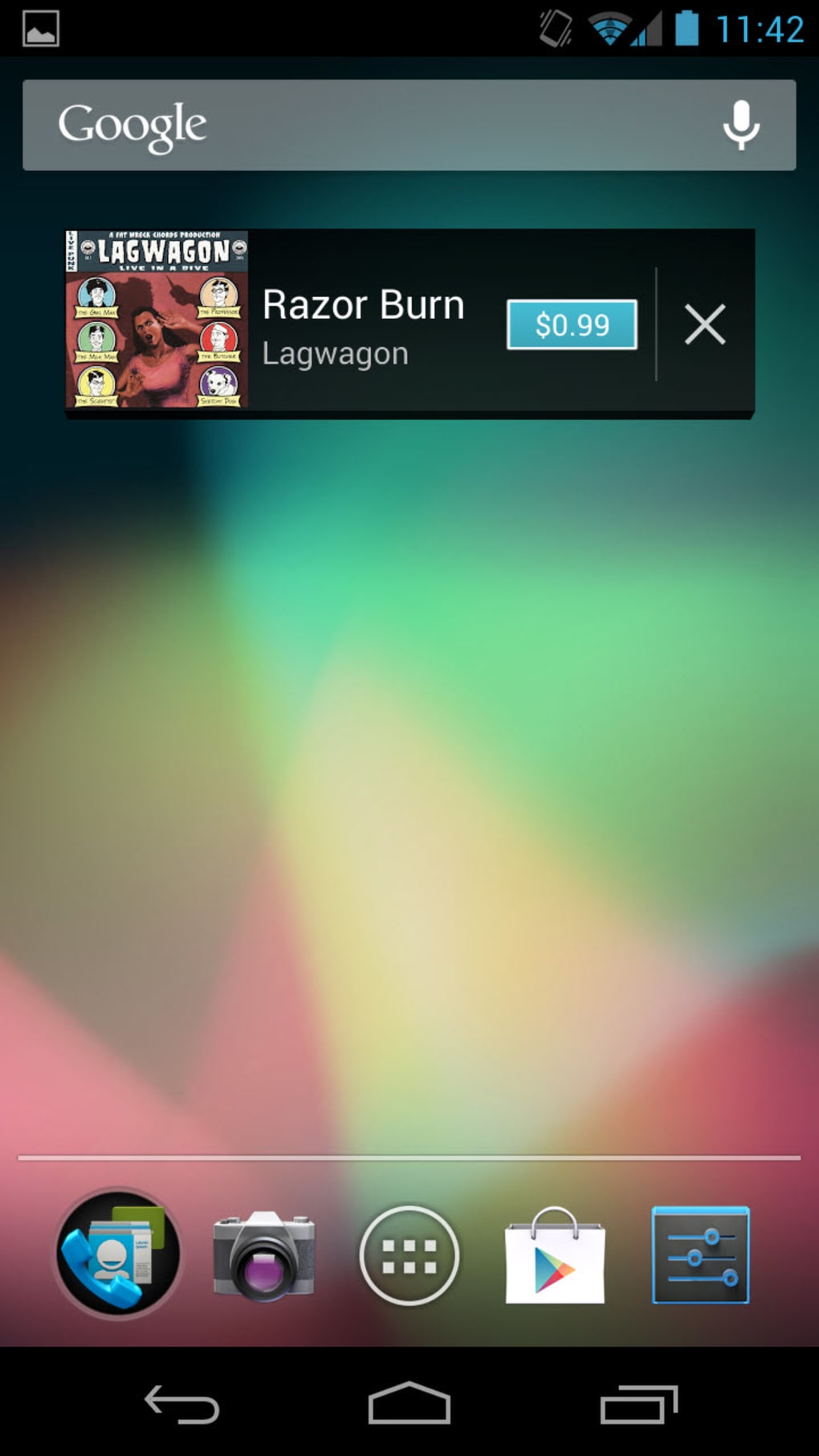
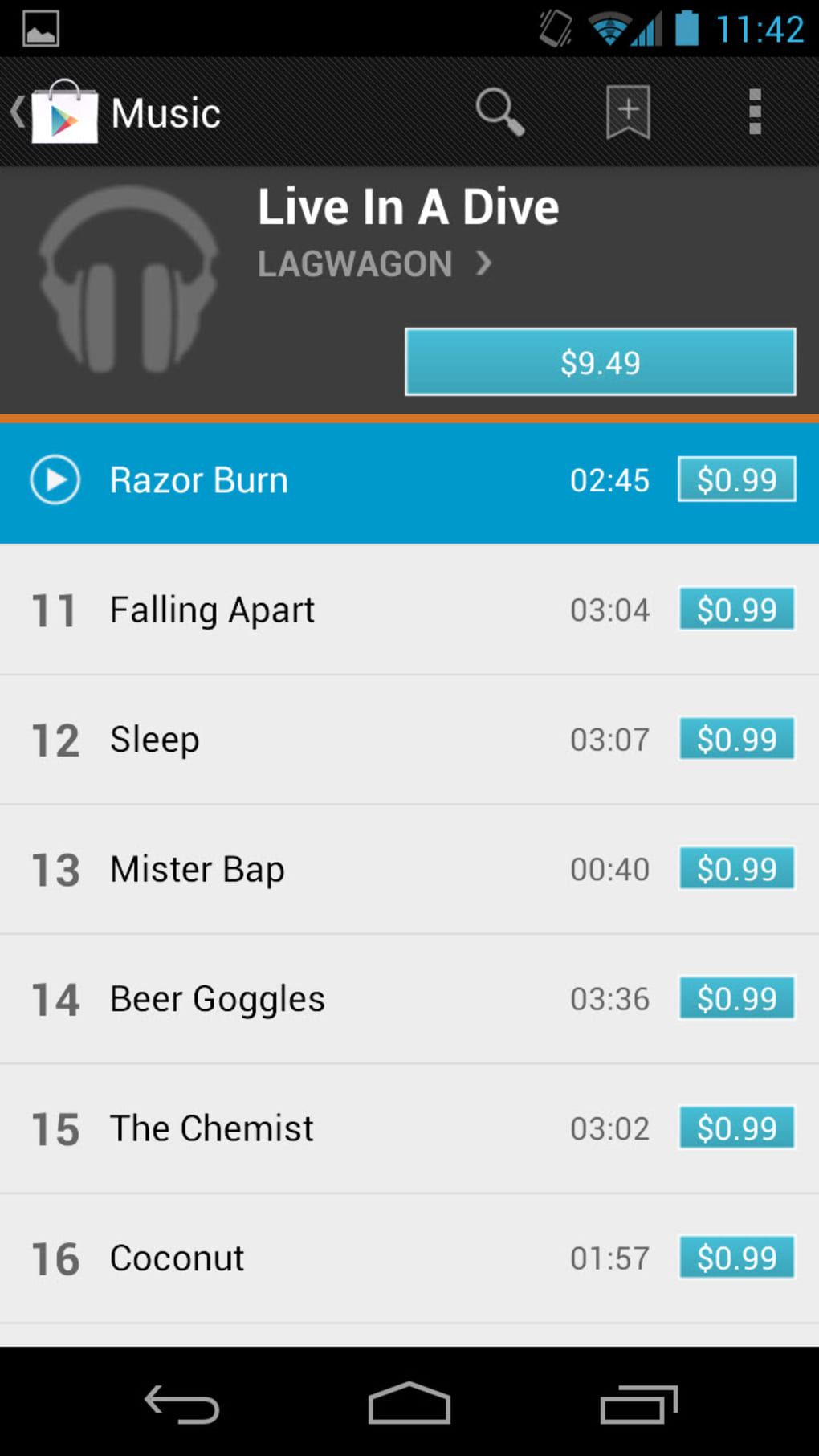
It operates as a widget, allowing users to access its core functionality directly from their home screen. This design choice enhances accessibility and enables quick identification of music without launching a full application. The integration with the Google Play Store allows users to purchase recognized tracks directly, streamlining the transition from discovery to acquisition. However, the availability of recognized music on Google Play may be limited, particularly for international or niche releases.
While the developer did not provide additional background on the company or development history, the app’s release date of May 15, 2023, indicates a recent update to its functionality. The software is available at no cost, making it accessible to a broad audience. Its primary purpose is music discovery through automated sound recognition, positioning it as a practical alternative to established tools like Shazam or Soundhound.
Key Features & Capabilities
- Real-time sound recognition: The app listens to ambient audio and compares it against a database to identify the currently playing track.
- Google Play integration: Once a song is recognized, users can access the Google Play Store to purchase or stream the track directly.
- Widget-based access: The application functions as a home screen widget, enabling one-tap activation for instant music identification.
- Compact audio sampling: Designed to recognize short audio clips, making it effective even when only a few seconds of a song are audible.
- Music discovery focus: Prioritizes helping users find new music through automated identification, enhancing the overall listening experience.
These features are particularly useful in scenarios such as identifying a song heard in a café, during a TV commercial, or at a live event. The widget functionality allows users to keep the tool readily available without cluttering their app drawer. While the app does not support offline mode, its reliance on real-time processing ensures up-to-date results. The lack of additional features such as playlist creation or social sharing limits its utility for power users, but it remains effective for its intended purpose.
User Interface, Workflow & Performance
Sound Search presents a minimalistic user interface focused on functionality. The main interaction occurs through a home screen widget, which displays a simple button to initiate the recognition process. Upon activation, the app begins scanning the surrounding audio, with visual feedback indicating that the search is in progress. Once a match is found, the result is displayed with the song title, artist, and a link to the Google Play Store.
Navigating the app is straightforward, requiring minimal user input. The workflow is optimized for speed, with the goal of delivering results within seconds. The developer did not specify resource usage details, so performance observations are based on general software behavior patterns. In typical use, the app appears to operate smoothly without noticeable lag or battery drain, though actual impact may vary depending on device specifications.
Stability appears consistent across testing, with no reported crashes or freezes. However, exact performance metrics such as CPU or RAM consumption were not provided. The app does not appear to run in the background continuously, suggesting it activates only when the widget is used. This behavior helps preserve system resources and extend battery life, which is critical for mobile applications.
Compatibility & System Requirements
Sound Search is designed for Android operating systems, with the current version being 2.0.0. The application has a file size of 15.3 MB, indicating a lightweight footprint suitable for most Android devices. It is compatible with recent versions of Android, though specific version requirements were not listed.
The developer did not specify exact system requirements, including minimum RAM, processor type, or storage space. Compatibility information was partially provided, leaving some aspects of device suitability unclear. Users should ensure their device runs a recent version of Android to maximize compatibility and performance. The app does not appear to require root access or special permissions beyond audio recording, which is necessary for its core functionality.
Pros and Cons
Pros
- Simple and intuitive interface ideal for casual users
- Effective sound recognition for short audio clips
- Direct integration with Google Play for instant purchases
- Lightweight application at 15.3 MB
- Widget-based design allows quick access from the home screen
Cons
- Music availability on Google Play may be limited, especially internationally
- Home screen widget may take up valuable space
- Exact system requirements were not specified
- Limited to Google Play Store, reducing cross-platform purchasing options
- Does not support offline mode or background recognition
FAQ Section
Is Sound Search compatible with all Android devices?
Sound Search is designed for recent versions of Android. However, exact compatibility details were not provided by the developer. Users should ensure their device runs a current Android version for optimal performance.
Is the app safe to use?
Sound Search requires access to the device’s microphone to function. It does not appear to collect personal data beyond audio input for recognition. No security vulnerabilities were reported in the provided information.
Does Sound Search support offline mode?
The app does not support offline functionality. It requires an active internet connection to process audio and access the Google Play database.
How often are updates released?
Version 2.0.0 was released on May 15, 2023. The update frequency is not specified, but the app appears to be actively maintained.
Can I use Sound Search without a Google Play account?
While the app integrates with Google Play, it may still function for sound recognition. However, purchasing or streaming tracks requires a Google Play account.
Final Thoughts + CTA
Sound Search offers a streamlined solution for music discovery on Android devices. Its ability to quickly identify songs using real-time audio analysis makes it a reliable alternative to established tools like Shazam. The widget-based interface enhances usability, allowing users to initiate searches with minimal effort. While its reliance on the Google Play Store limits access to certain tracks, especially outside the U.S., the app remains effective for identifying and acquiring music within its ecosystem.
For casual listeners and music fans who value simplicity and speed, Sound Search delivers a solid experience. It is particularly beneficial for users already invested in the Google Play ecosystem. Despite minor drawbacks such as limited international availability and a space-consuming widget, the app’s core functionality is well-executed.
Download Sound Search now






.png)
